Every team, as it grows, starts building the same things almost without noticing.
First a few walkthroughs, so a task can be handed off cleanly. Then checklists, so nothing gets missed. Eventually company policies, for the things that have to be done one specific way.
Alongside them come the more visual pieces: process maps, flowcharts, the occasional video tutorial for steps that are easier shown than told.
They all serve one goal, which is standardizing how the work gets done.
A growing team cannot have everyone doing the same job their own way. That holds just as much for a five-person startup as for a thousand-person company, and every one of them ends up with a stable set of processes it runs again and again.
At that point the job looks simple. You already have the processes; all you have to do is write them down. But the moment you try, that simple task hides a harder set of questions:
Where should the process documentation live? What format should each process take? How do you keep it current as the work changes? And who owns it once it exists?
This guide answers all four. We will walk through what process documentation is, the formats it takes, how to document a process step by step, and how to keep it from going stale, so the docs you write stay worth reading.
It is one of the highest-leverage parts of your wider internal documentation practice.
Key takeaways
- Process documentation is a written how-to for a repeatable task or workflow.
- It matters because undocumented processes live in people's heads and break when they leave or when the work changes.
- It comes in many formats: checklists, flowcharts, SOPs, process maps, swimlane diagrams, and short video walk-throughs.
- To document one, pick a stable process, assign it an owner and details, then write clear, actionable steps.
- The hard part is maintenance: give every doc one owner, a last-reviewed date, and a way to catch drift.
What is process documentation?
Process documentation is a descriptive record of how a standard operating procedure is carried out inside a business. It is a how-to for any recurring task, written so someone can complete the work by following the document alone.
It usually covers a process that stays stable over time rather than one that changes constantly.
It comes in many forms:
- Walk-throughs
- Checklists
- Process maps
- Process flowcharts
- Video tutorials
- Company policies
- Screenshots, GIFs, and images
Process documentation standardizes the way something needs to be done. Used by large corporates and small businesses alike, it is often an essential piece of management software.
Note: It only covers processes that stay stable and are not constantly reshaped by other factors in a project or task.
People use "process documentation", "SOP", and "process map" interchangeably, but they are not the same thing:
| Aspect | Process documentation | SOP (standard operating procedure) | Process map |
|---|---|---|---|
| Purpose | Capture how a whole process works, end to end | Give exact, mandatory instructions for one task | Show the flow of a process visually |
| Scope | A full process, often several steps and roles | A single procedure | One process, drawn as a diagram |
| Format | Text, checklists, links, screenshots | Numbered steps, often with compliance language | Flowchart or swimlane diagram |
| Update cadence | Reviewed on a set cycle | Version-controlled; updated when steps or rules change | Updated when the flow changes |
If a single task needs strict, repeatable instructions, that is usually an SOP rather than a full process doc.
What is a process guide?
A process guide is another name for a process document, used most often when the doc walks a reader through one process from start to finish. If process documentation is the whole library of how your team works, a process guide is a single entry in it: the step-by-step guide for one job.
In practice, "process guide", "process document", and "process documentation" get used interchangeably, so the label matters less than what the guide does.
A good process guide names the process, says who owns it, and lays out the steps clearly enough that someone can follow them without asking.
Teams keep process guides for everything from onboarding to incident response, and the ones that stay useful all share the same trait: an owner keeps them current.
You can start from the template further down this guide, which works just as well as a process guide template.
What is the goal of process documentation?
The goal of process documentation is to make a process repeatable and consistent, so it runs to the same standard every time and does not depend on any one person's memory. A good process doc lets a team member complete the work on their own, and it gives you a stable base to improve the process from.
The goal of business process documentation is to work on process improvement while making sure routine procedures are done efficiently, to the same quality, every time.
Another goal is to keep workflow and business processes documented, so team members can act independently. They should be able to complete any task themselves with the help of a documented process.
What are the benefits of process documentation?
Process documentation saves time, protects a team from losing knowledge when people leave, and cuts errors by giving everyone the same reference. It speeds up onboarding, keeps work consistent, and makes handovers clean because the process does not walk out the door with the person who ran it.
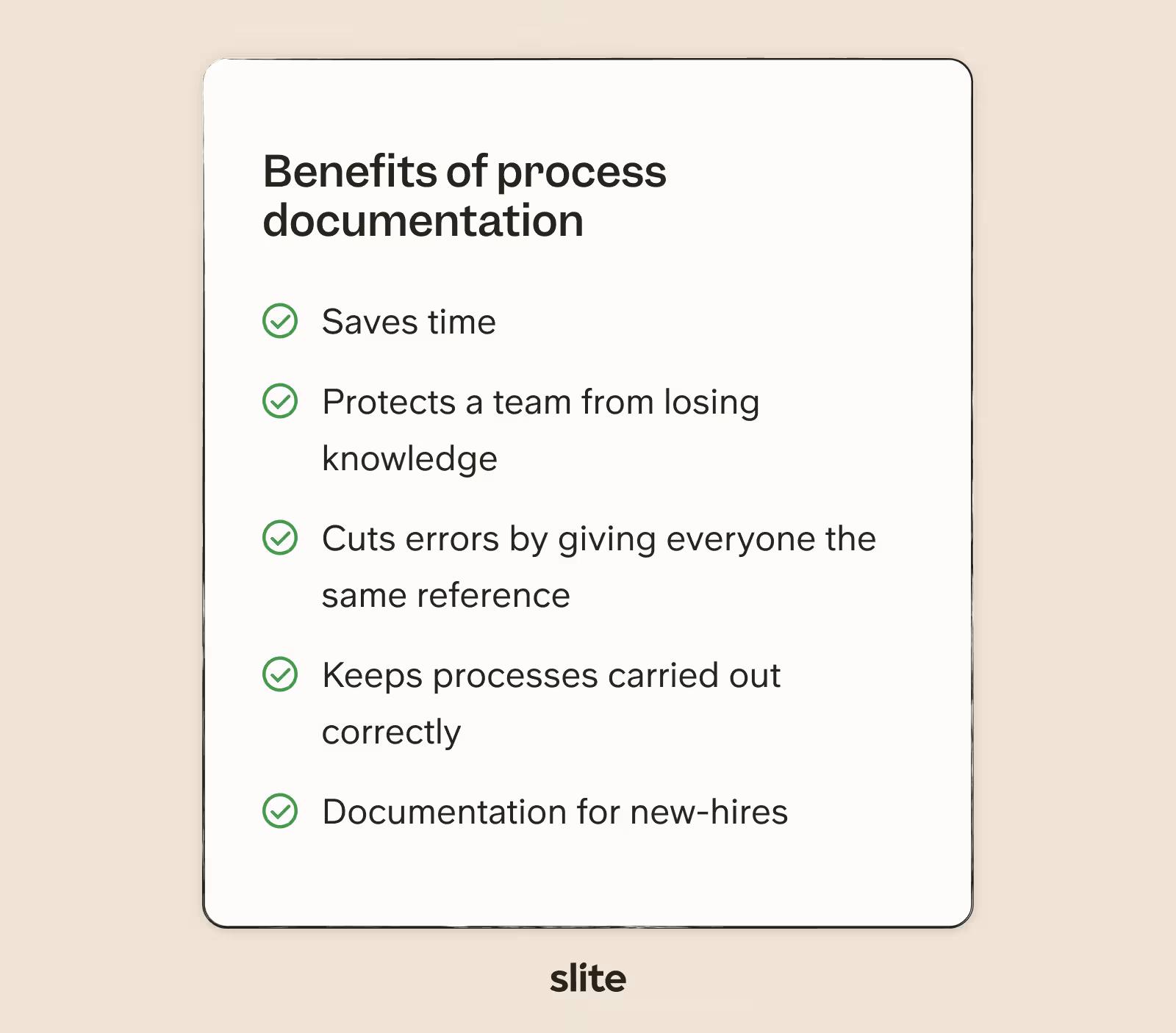
Process documentation is not the most thrilling task on your list, but it is one of the most valuable if you want to grow without breaking things. It keeps processes carried out correctly and leaves less room for error.
It is also a real time-saver for onboarding, and it gives new hires a baseline of knowledge security. New employees can follow the document instead of pulling time from the rest of the team during onboarding.
And when an employee leaves, their daily duties and process knowledge do not leave with them. You get a clean handover through the process docs they wrote in the role.
What are the types of process documentation?
Process documentation is usually grouped by what triggers it and what it aims to produce.
Trigger-based docs are used when a specific event occurs, outcome-based docs guide someone toward a result, and business-as-usual docs cover routine checks.
Alongside those categories, the document itself takes one of a handful of common formats. These types show up across almost any project documentation you keep.
Trigger-based processes
These documents are needed when a specific event sparks them. They are reactive, a process flow most teams reach for at some point.
For example, an engineering team may use a trigger-based process document when the company website flags an error. The doc walks the engineer through covering all the bases until they find the fault and fix it.
Outcome-based
These documents focus on a particular outcome, or a set of outcomes. They work best visually, either as a flowchart or a process map that lets the reader follow different paths depending on what happens.
For example, a sales team may use an outcome-based document in their sales process. The doc guides them through a lead's potential responses and toward an eventual outcome.
Business as Usual
Depending on your industry, these are also known as safety checklists or crisis management workflows. They usually take the form of a checklist and confirm that everything is working the way it should.
Common process documentation formats
Beyond how a process is triggered, the document itself usually takes one of these shapes. Pick the one that matches the work:
- Flowchart: use it when the process branches based on decisions.
- Checklist: use it when the steps are fixed and the order matters.
- SOP: use it when a task needs strict, repeatable instructions.
- Swimlane diagram: use it when several roles hand work back and forth.
- Process map: use it when you need a high-level view of the whole flow.
- Decision tree: use it when the next step depends on a series of yes/no answers.
Who should manage business process documentation?
Process documentation works best when one named person owns each document, rather than a committee.
Leadership sets the expectation and each team lead makes sure their processes are covered, but every individual doc needs a single owner who is responsible for keeping it accurate and reviewing it on a schedule.
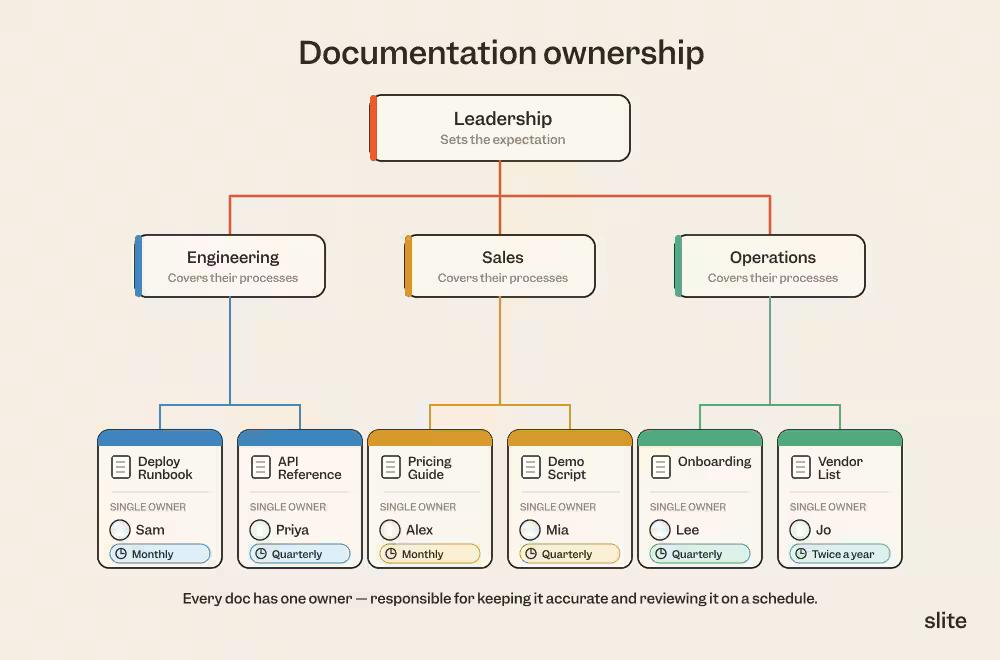
Business process management (BPM) comes in two parts:
- you need someone to manage the overall project and make sure everyone is documenting their work,
- you need employees who understand their own responsibility for the processes they run.
You will also find that certain company policies and procedures need to be documented in their own right. This is common for internal staff operations like requesting holidays, logging sick leave, or applying for internal roles. For those, you will want help from someone on your HR team.
Lastly, decide who needs write and edit access in your knowledge base tool. You might have employees draft in another format and give one author responsibility for pulling them together.
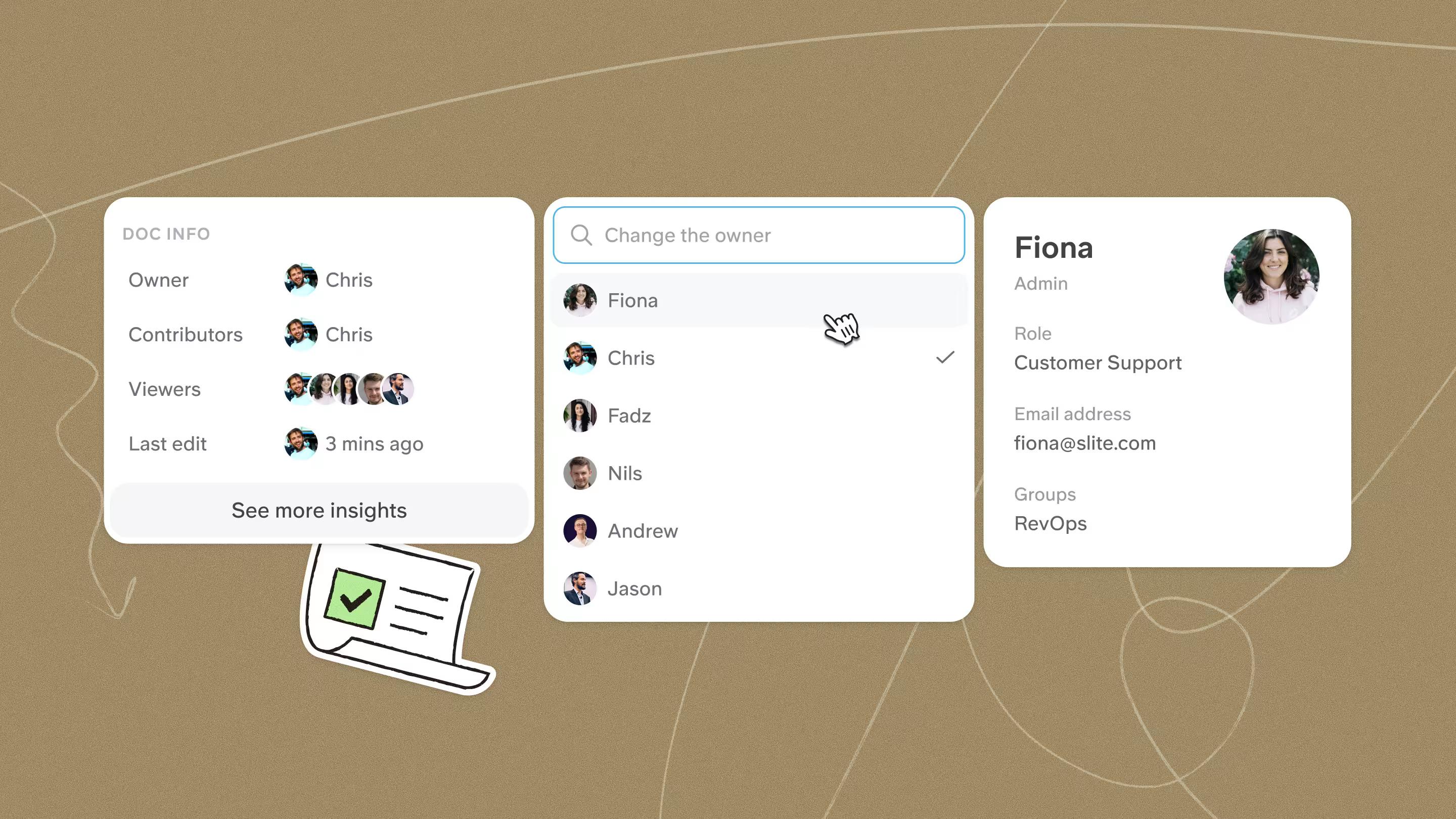
Whoever writes a doc, give it one named owner and a last-reviewed date. A doc that belongs to everyone belongs to no one.
Assigning an owner and a review date is good practice on top of the cascade above, not a replacement for it.
How to document a process (step by step)
Once you know who owns what, documenting a process comes down to a short, repeatable sequence. Keep it to ten steps or fewer.
1. Pick a process
Before you document anything, choose the processes worth recording. Separate the ones likely to change drastically, and are not worth pinning down, from the regular, constant ones that will benefit from being documented.
2. Assign the details and an owner
Assign the details of the process: the date documented, the process owner, the team responsible, and a title that describes what the process is.
When you set the title, keep your wider documentation structure in mind. Put yourself in the reader's shoes and think about how they would find this process in your knowledge base. If they search by keyword, which keywords would they use? If they search by department, does the process sit in more than one? These details make the document easy to find later.
3. Introduce the process
You do not need a full essay here. An introduction of a few lines is enough.
State the goal of the process and explain why it matters. In doing so, the user has something to work towards and understands the value of their output. When people understand why a task matters, they do it with more care.
4. Define when and how it is used
Establish when and how someone should use this process. As we covered earlier, there are different types of process, and that should be clear early on. It tells the reader the boundaries of the process, when to start it, and what needs to be in place to proceed.
5. List the collaborators
List any departments, roles, and people the process depends on. That way the reader can plan ahead and give particular people notice that they will soon be needed, allowing everyone to manage their time better.
6. Write the steps and add visuals
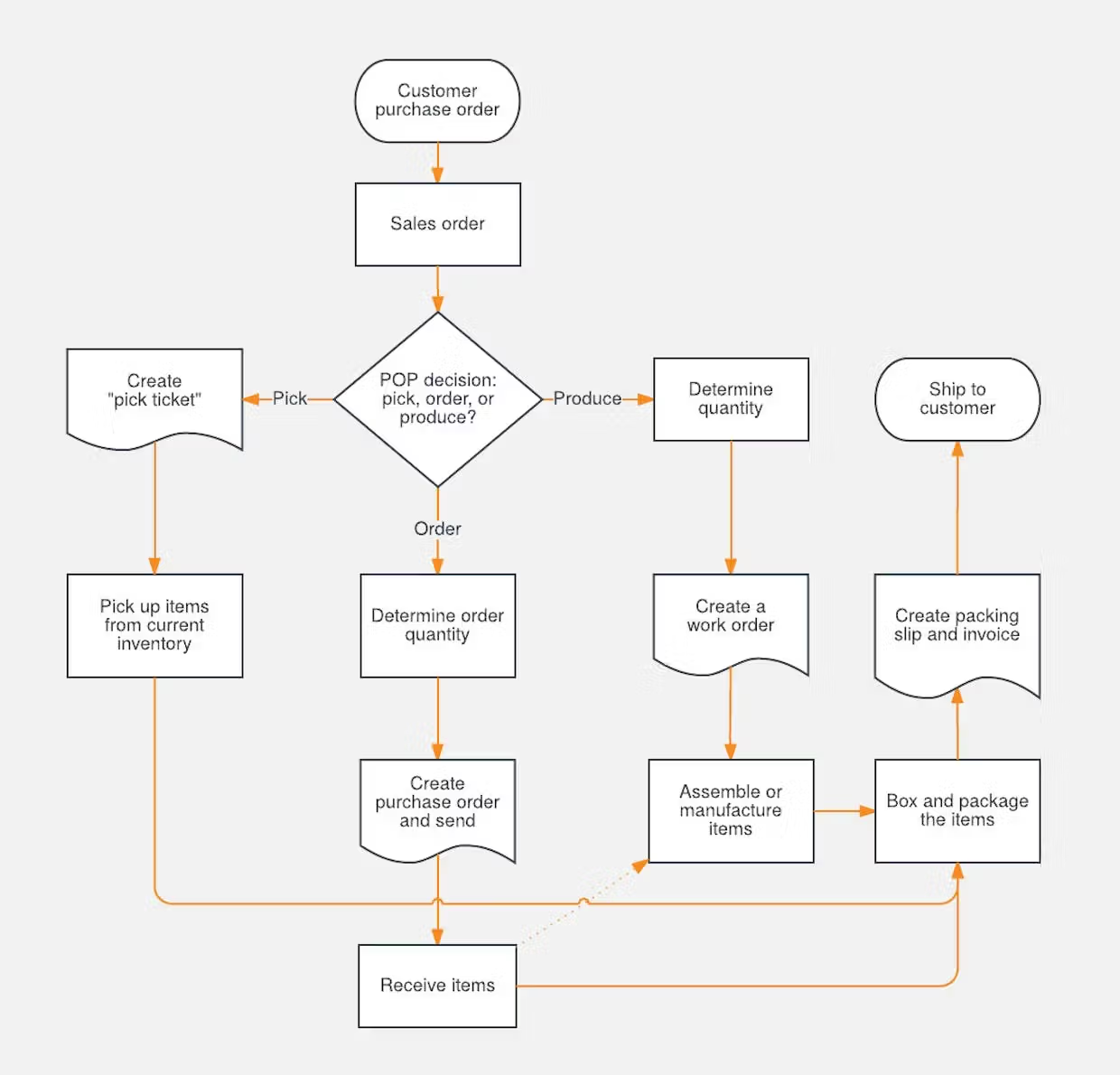
Once all of that's done, you can dive into documenting the process itself. Write each step as an action, add a diagram or screenshot where a picture is clearer than a sentence, and break the doc up with headings so it stays scannable.
7. Review it and set a review date
Read the finished doc against the real process one more time, get feedback from the people who run it, and set a date to review it again. A process doc is only as good as the last time someone checked it was true.
Best practices for writing process docs
The steps above give you the skeleton. These habits keep the writing itself clear:
- Make each step actionable and start with a verb.
- Keep it concise and cut the fluff; include only what the reader needs.
- Use a checklist or bullets where you can.
- Link out for extra detail at decision points instead of cramming everything into one doc.
- Get visual with diagrams, flowcharts, screenshots, and GIFs.
- Use headings so people can scan. In Slite, headings automatically build a table of contents, and because the knowledge base is AI-searchable, teammates can pull the answer straight from the doc.
- Keep one process per document.
- Drop office jargon and industry lingo.
- Write for your actual audience and the questions they will ask.
- Start from what you already have and formalize it, rather than beginning from a blank page.
Process documentation examples
Advice is easier to apply when you can see the finished thing. Here are three short examples in different formats.
Employee onboarding checklist
A checklist works when the steps are fixed and the order matters.
- Create accounts and issue hardware before day one.
- Share the team handbook and the first-week schedule.
- Assign an onboarding buddy.
- Book the manager 1:1 for the end of week one.
- Confirm access to the tools the role needs.
Here is the free template to follow.
Customer support escalation flow
A flowchart works when the path branches like in this escalation guideline.
Starting from a new ticket:
- If the issue is a security or data incident, page the on-call engineer immediately.
- If it is a billing dispute, route it to finance.
- If the customer is on an enterprise plan, send it to the named account manager.
- Otherwise, hand it to the tier-2 support queue.
Refund SOP
An SOP works when a task needs exact, repeatable steps:
- Confirm the order in the system.
- Check that it falls inside the refund window.
- Process the refund against the original payment method.
- Email the customer to confirm.
- Log the reason so the team can spot patterns.
Process documentation template
If you would rather start from a structure than a blank page, copy the skeleton below into your knowledge base and fill in your own details. It works as a process document, a process guide, or an SOP, whichever label your team uses.
Process name:
Owner:
Last reviewed:
Review cadence:

Purpose:        (what this process achieves and why it matters)
When to use it: (the trigger or situation that starts it)
Collaborators:  (the roles and people involved)

Steps:
  1.
  2.
  3.

Related docs and links:
Keep it to one process per document, write each step as an action, and add a screenshot or diagram wherever a picture is clearer than a sentence.
You can also copy our ready-made process documentation template, which comes with these fields already laid out plus a few sample steps to edit.
Process documentation tools
You can write process docs in any editor, but a few categories of tool make them easier to create, find, and keep current.
- Knowledge base: this is where your process docs live. A knowledge base like Slite keeps every process doc in one searchable place and is built to keep them current instead of letting them rot. Owners can verify docs on a set cycle, and AI-powered search helps teammates land on the right answer rather than the nearest guess.
- Diagramming: for flowcharts and swimlane diagrams, a dedicated tool helps. Slite integrates with Draw.io, and Lucidchart is another common choice.
- Capture: for steps that are easier shown than told, a screen-recording or screenshot tool lets you drop visuals straight into the doc.
Common process documentation mistakes to avoid
Most process docs fail for the same handful of reasons.
- Overcomplicating it. A doc nobody can follow is worse than no doc. Keep it to one process and cut the fluff.
- Letting it go stale. This is the big one. Some teams call it "knowledge decay": the doc was right once, then the product changed and the update never happened. One operations lead at a roughly 120-person engineering org put it plainly: "documentation drifts from reality as products change and updates are missed."
- No owner. When three people can edit a doc and nobody owns it, no one catches the error until it costs something.
- Hoarding knowledge. Docs locked in one person's head or a private folder defeat the point. Put them where the team can find them.
How to keep process documentation current (with AI)
Writing a process doc is the easy part. Keeping it accurate as the work changes is where most teams lose the thread, and it is why so many docs quietly go stale.
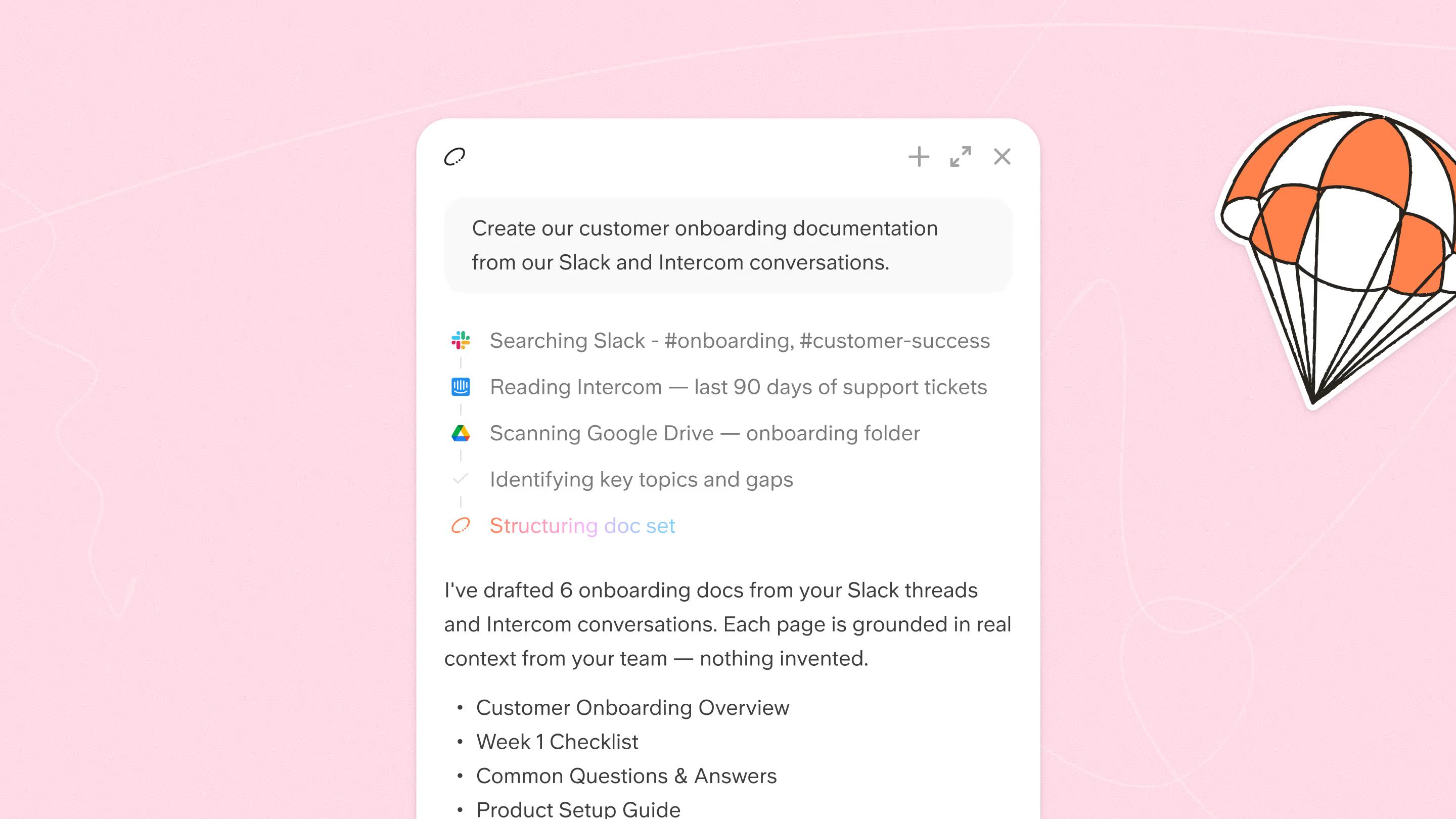
AI helps on both sides of that. You can use it to draft a first version from a screen recording, a meeting transcript, or rough notes or just a good prompt, which gets a process out of someone's head and onto the page faster.
The harder problem is freshness. An out-of-date doc is worse than a missing one, because people, and AI tools, trust it.
Treat freshness as a signal: put a date and an owner on every doc, verify current ones on a cycle, and keep expired docs out of the answers your team relies on.
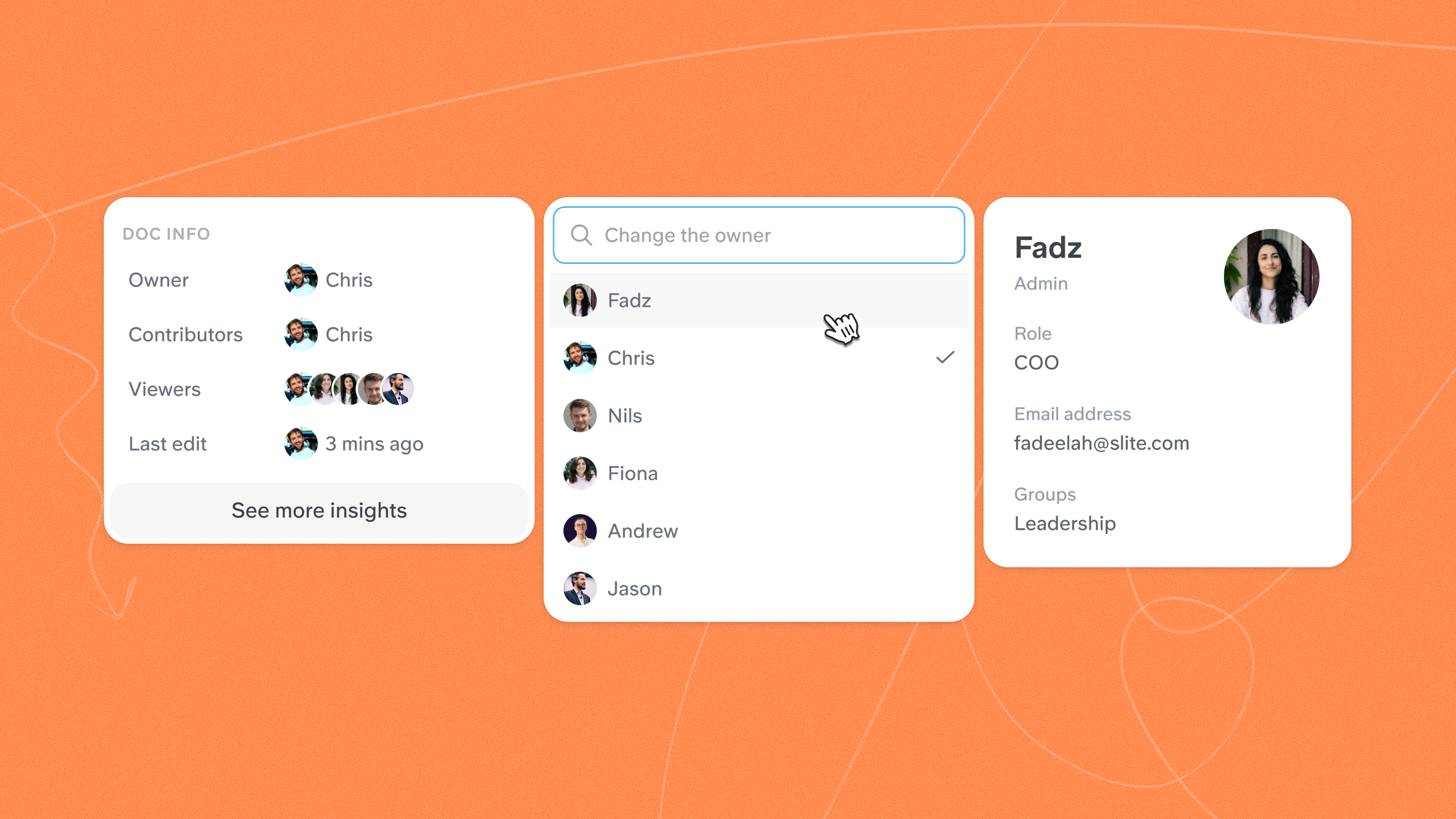
Keep a human review step so nothing ships unchecked.
This is the idea behind Slite Agent, part of our self-maintaining knowledge base.
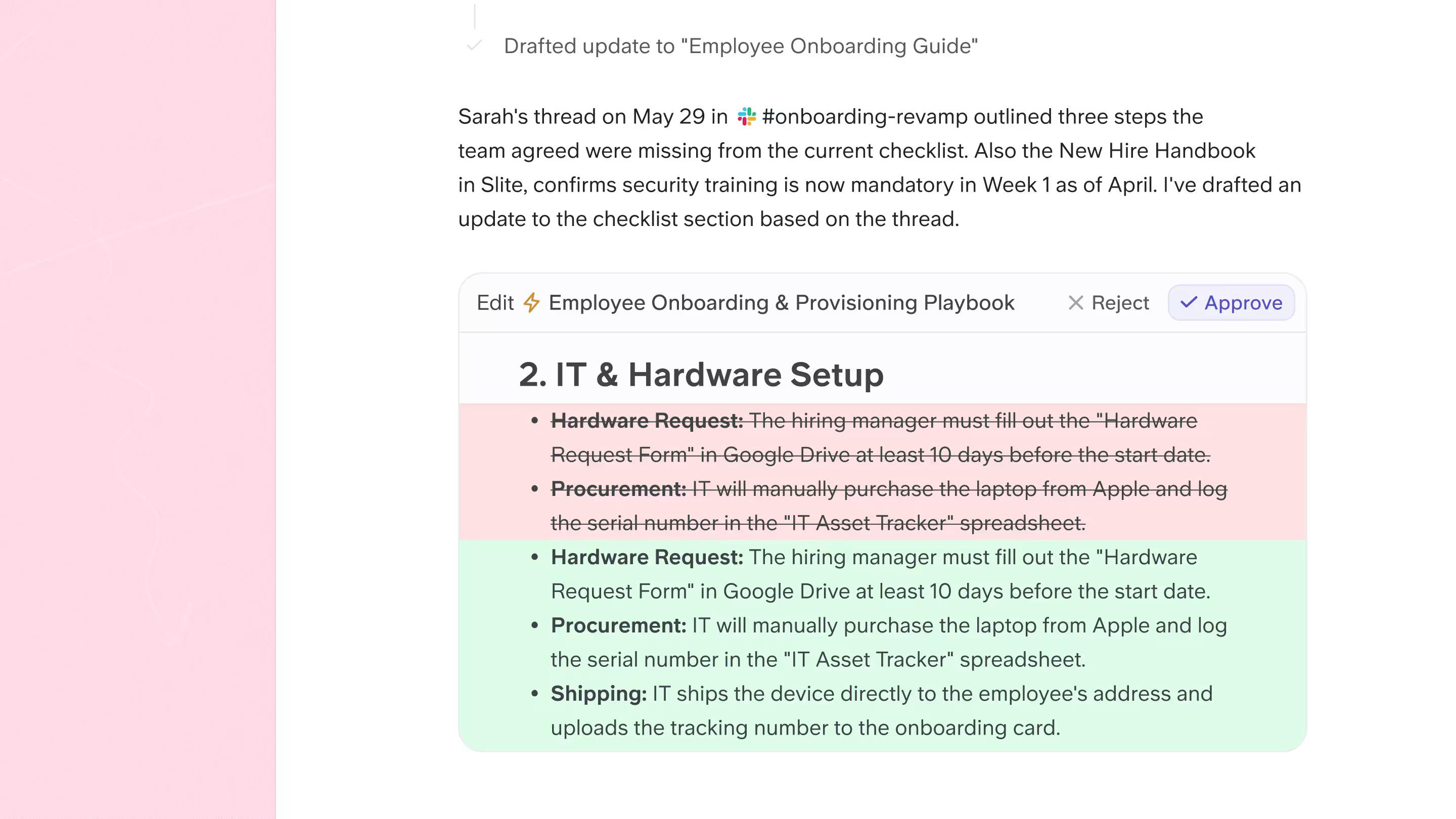
It watches for docs that have drifted, proposes fixes, and routes them through a human for approval, using each doc's verification state, owner, and review cycle to decide what needs attention. That closes the loop between writing a process doc and still trusting it six months later.
If stale docs are already a problem for you, it is worth fixing before it costs you.
Read more on the dangers of stale documentation and how to keep your docs up to date.
Keep your process docs working for you
Process documentation looks optional right up until the person who knew how everything worked hands in their notice. Get the basics right, pick the process, give it an owner, write clear steps, and you have something the whole team can rely on.
The part that decides whether it pays off is maintenance. A process doc is only as good as the last time someone checked it was true. Build in owners, review dates, and a way to catch drift early, and your documentation stays an asset instead of turning into a liability.
That is the problem we built Slite to solve. If you want to see how a knowledge base can keep your process docs current instead of letting them rot, book a demo and we will walk you through it.
FAQ
What is the difference between process documentation and an SOP?
Process documentation captures how a whole process works, end to end. An SOP is a stricter, standalone set of instructions for a single task, often with compliance requirements. Most SOPs live inside a broader set of process docs.
How do you document a process step by step?
Pick a stable process, assign it an owner and a title, write a short intro that states the goal, define when it is used and who is involved, then write clear, actionable steps with visuals where they help. Finish by setting a date to review it.
What is business process documentation?
Business process documentation is the written record of the repeatable processes a business runs on, from onboarding to support to internal requests. It standardizes how work gets done so it does not depend on any one person.
What are examples of process documentation?
Common examples include an employee onboarding checklist, a customer support escalation flowchart, and a refund SOP. Each captures a different kind of process in the format that suits it.
What is the difference between process documentation and operational documentation?
Operational documentation is the broader set of documents that keep a business running day to day: process docs, runbooks, policies, and reference material. Process documentation is the part of that set that captures how specific, repeatable processes are carried out. Most operations documentation is built on top of process docs, so getting your process documentation right is what makes the wider operational documentation useful.